Agroid Pro GPS Area Measure5.0.8
Publisher Description
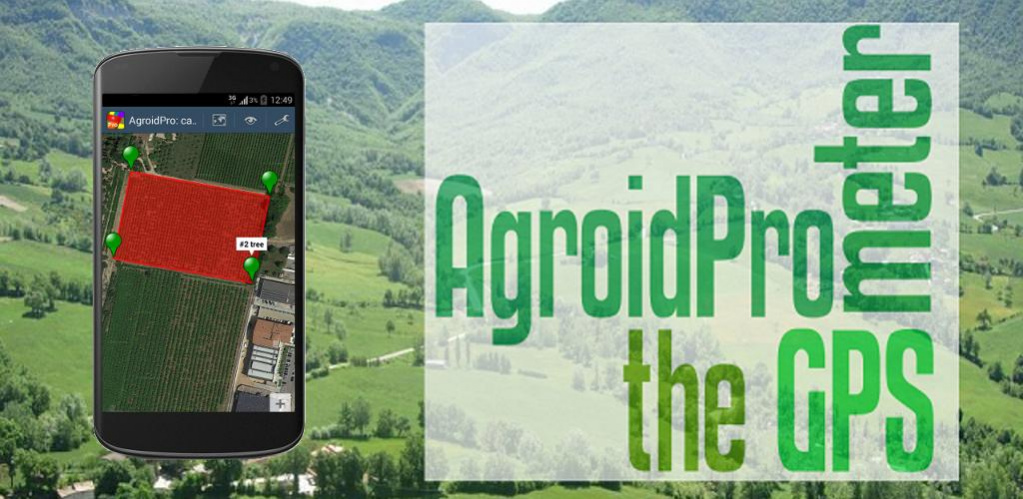
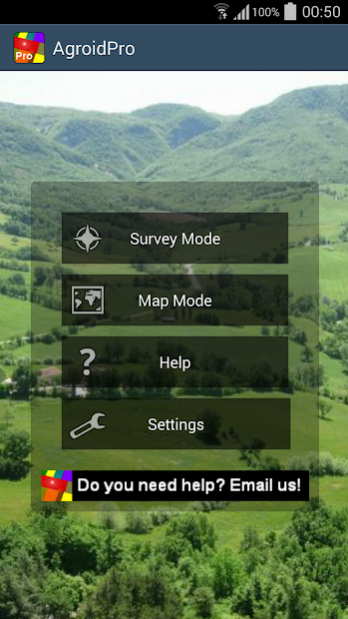
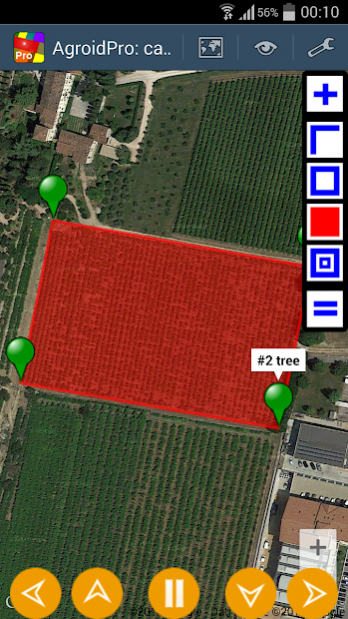
AgroidPro can measure distances, perimeters and areas (metric, imperial and Thai units for length and area): it is useful for measuring any planimetric element such as lands, fields or buildings (app designed for a high OUTDOOR visibility, no internet required).
If you are looking for more than a regular map ruler to measure areas, you have found it! This app has got lots of unique features that make it one of the best choices on the market!
UNIQUE FEATURES:
➜ GPS collection and measuring by just walking/driving around (TRACKING mode)
➜ High accuracy using AVERAGE GPS and MARKER FINE REPOSITIONING
➜ Survey complete of geotagged PHOTOGRAPHS and user NOTES
➜ Map and data SHARING
➜ KML and TXT data EXPORTING
➜ PLANT CALCULATION: plant quantity for the current area
➜ TRELLIS LAYOUT: layout of the trellis directly on the map!
➜ TRELLIS CALCULATION: end/line post and wire quantity for the current layout
➜ ROOF AREA CALCULATION: real roof area from the planimetric area
➜ DRIP LINE RATE CALCULATION: application rate and drip tubing length
➜ ELLIPSOID HEIGHT and DRMS CALCULATION
➜ Possible to use external Bluetooth receivers (see appendix 4)
➜ Maps can be downloaded in advance avoiding any internet connection during a survey
DETAILS:
AgroidPro has different operating modes:
- Survey mode (to measure without maps, GPS driven)
+ Map mode (to measure with maps, Map driven, Android 3+)
+ Mixed mode (satellite & manual)
Coordinates can be retrieved from different sources:
- GPS (points collected according the specified accuracy)
+ Average GPS (average of points collected in the specified period)
- Tracking (satellite points collected according to specified rate/interval)
- Reference (lat/lon manual input)
+ Map center marker (lat/lon specified on the map)
+ Address (any postal address)
+ KML file import (any Point, Polyline, Polygon)
Map providers:
- Google Maps (Satellite, Street, Hybrid, Terrain)
- Open Street Map (OSM)
Coordinates can be viewed or shared with different standards (WGS 1984):
- Global Positioning System coordinates (EPSG:4326)
+ Web mercator coordinates (EPSG:3857)
+ UTM coordinates
Main geographical point functions:
- delete
- edit
- move
+ distance to next
+ angle
+ angle to next
+ add/edit note
+ add/edit picture
+ navigate to
Main document functions:
- Maps
- Views
- Toolbar
- Zoom
- Select point
- File (New, Open, Save, Export, Delete)
+ Calculator (Planting, Trellis, Roofing, Drip Irrigation )
- Measure (Distance, Perimeter, Area)
+ Backup/Restore
- Share
Available measurements units:
+ Length units: meter, km, feet. yards, miles, wa
+ Surface units: sq m, sq km, ha, sq feet, sq yards, sq miles, acres, tarang wa, ngan, rai
Multilanguage: English, Italiano
Follow the automatic hints in order to use the app properly.
Read the embedded User Guide:read carefully the accuracy chapter to achieve the best results!
For any info or troubleshooting you can contact us at support@gaiacons.com.
About Agroid Pro GPS Area Measure
The company that develops Agroid Pro GPS Area Measure is Gaia Consulting. The latest version released by its developer is 5.0.8. This app was rated by 1 users of our site and has an average rating of 5.0.
To install Agroid Pro GPS Area Measure on your Android device, just click the green Continue To App button above to start the installation process. The app is listed on our website since 2021-11-07 and was downloaded 335 times. We have already checked if the download link is safe, however for your own protection we recommend that you scan the downloaded app with your antivirus. Your antivirus may detect the Agroid Pro GPS Area Measure as malware as malware if the download link to b4a.agroid_pro is broken.
How to install Agroid Pro GPS Area Measure on your Android device:
- Click on the Continue To App button on our website. This will redirect you to Google Play.
- Once the Agroid Pro GPS Area Measure is shown in the Google Play listing of your Android device, you can start its download and installation. Tap on the Install button located below the search bar and to the right of the app icon.
- A pop-up window with the permissions required by Agroid Pro GPS Area Measure will be shown. Click on Accept to continue the process.
- Agroid Pro GPS Area Measure will be downloaded onto your device, displaying a progress. Once the download completes, the installation will start and you'll get a notification after the installation is finished.
Program Details
System requirements
Download information
Pricing
Version History
version 5.0.8
posted on 2021-11-07
Minor issues
version 5.0.1
posted on 2021-01-29
Screen dimmer in settings
version 5.0.0
posted on 2019-10-29
Mode with position markers only
version 4.2.0
posted on 2018-01-09
Drip tubing calculation
version 3.2.3
posted on 2016-09-01
3.2.3,- New poiint source in map mode: KML import,- User guide update,3.2.2,- Navigate to a point function,- User guide update
version 1.0.23
posted on 2013-05-22
Several fixes and updates
